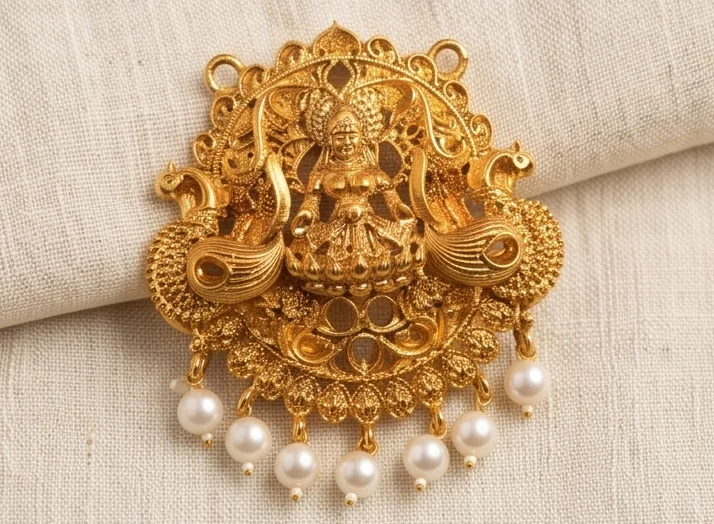
Buying in bulk from a factory in another city used to mean trusting photos. At Jagruti, the last step before dispatch is a live WhatsApp video call where you see your actual stock and approve it before you pay the 40% balance.
How it works
- Production is complete and QC'd against your approved sample.
- We schedule a video call at a time that suits you.
- We show the finished stock, design by design.
- You ask to see anything: specific units, backs, findings, stone colours, packing.
- You approve, clear the balance, and we dispatch.
What to ask to see
- Random units from different trays, not just the best ones
- Close-ups of stone settings and antique depth
- Backs of pieces for glue spill and finishing
- Findings: hooks, screws, S-locks working on camera
- Pairs: earrings matched
- Colour side by side with the approved sample
- Packing: pouches, cards, cartons and labels
- Counts per design
Tips for a good call
- Use a stable connection and good light on your side.
- Have your order confirmation and sample photos open.
- Take screenshots of anything you want corrected.
- Confirm corrections in writing after the call.
Why it matters
The balance payment is tied to your approval, not a date. That keeps quality accountable. It also saves time: issues are fixed at the factory, before transport, not after goods have travelled across the country.
What it does not replace
Video approval is a strong check, but still inspect on arrival for transit damage and count against the invoice. See our QC checklist.
Part of a wider process
Sample approval sets the standard. Video approval checks the bulk order against it. Read sample approval and payment terms.
A sample call, step by step
A typical approval call for a four-design order runs like this. We open with the approved samples on the table beside the bulk stock. For each design, we show a tray, pick units at random from different parts of it, and turn them to show the front, back and findings under good light. We show earring pairs together and hold necklaces up so you can see how they drape. We count out the cartons and show the labelling. If you spot something you want changed, we note it, fix it, and send a short video of the corrected units before dispatch.
For buyers who cannot join live
If you cannot join at the scheduled time, we can record a detailed video following the same checklist and send it to you. Live is better, because you can direct the camera, but a thorough recording still lets you approve with confidence.
What a good approval video shows
If the factory sends a recorded video instead of a live call, ask that it covers:
- Each design code, spoken or shown on a card, with the pieces laid out.
- A random pack opened from each design, not only the best pieces.
- Front and back of a few pieces, turning slowly in good light.
- Stones close up, to check colour and seating.
- Clasps and hooks opened and closed on camera.
- Packing: the bags, strips and cartons the goods will ship in.
- Counts: the number of packs per design.
Daylight or a daylight-balanced lamp matters. Warm yellow lighting makes antique gold look richer and stones look different from how they will look in your shop.
Keeping a record
Save the video with the order number. If a question comes up later about what was approved, the recording answers it. Many buyers keep a folder per order with the pro-forma, payment receipts, sample photos and the approval video.
When video is not enough
For a new supplier, a new design type, or a very large order, consider an in-person check or a third-party inspector for the first batch. Once the supplier has a track record of bulk goods matching approved samples, video approval is usually all that is needed.
Common problems spotted on video
Buyers most often catch these on the approval call: a stone colour that differs from the sample, an antique finish darker or lighter than approved, earring hooks bent during packing, pearl drops of uneven length, and counts that do not match the order. Each is simple to fix before dispatch and a nuisance to fix afterwards. Keep the approved sample photo open on your screen during the call so you compare like with like.