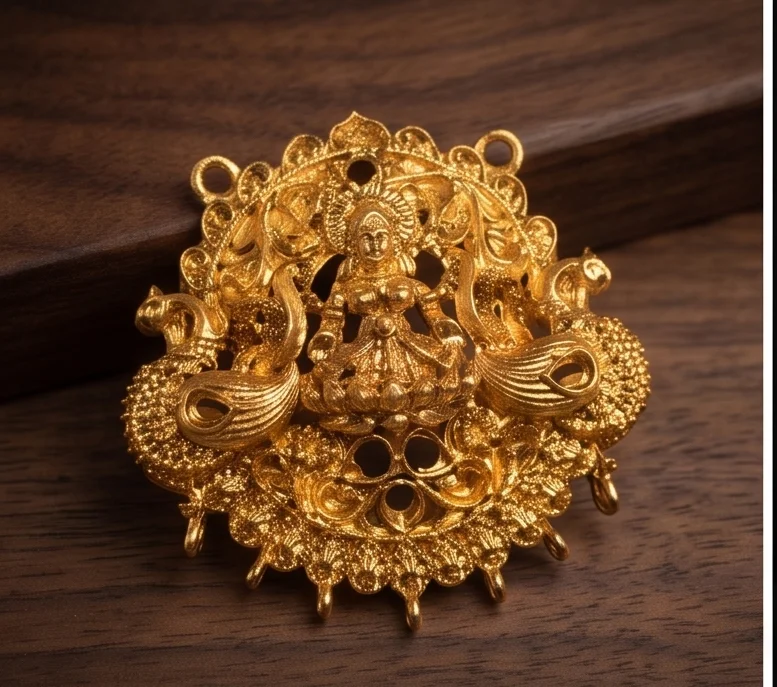
Good photos sell jewellery online and on WhatsApp. You do not need a studio. A phone, soft light and a clean background go a long way.
Light
Use soft, even light: daylight near a window without direct sun, or a light box.
Background
White or light grey for catalogue and marketplace photos. Dark velvet or props for lifestyle shots.
Angles
- Front view
- Side or angled view
- Close-up of detail and stones
- Back view for earrings and pendants
- Worn on a neck form or model
Keep it honest
Edit only to correct brightness and colour. Do not exaggerate shine or change colours. Honest photos reduce returns. Read selling honestly.
Common mistakes
Glare from flash, busy backgrounds, and no size reference.
An example setup
A table by a north-facing window, a white card background curved up behind the piece, a phone on a small stand, and a neck form for worn shots. Each design gets five photos in the same order.
See WhatsApp catalogues and selling on marketplaces.
Photographing different finishes
Antique finishes can look muddy in poor light; add a little more light and shoot slightly from the side to show relief. AD and CZ pieces sparkle best with a small direct light source to create highlights. Matte finishes need soft, even light to show their satin texture. Oxidised pieces look best against white or light grey, which makes the dark recesses stand out.
Photographing sets
For sets, take one photo of the complete set arranged together, then individual photos of each piece. Customers want to see both.
Updating photos
When a design changes, such as a new stone colour, update the photos so customers get what they see.
A simple home or shop studio
| Item | Purpose |
|---|---|
| A window with indirect daylight, or two soft LED panels | Even, true-colour light |
| White card or a light tent | Clean background and soft shadows |
| A black or dark velvet cloth | For gold and kemp pieces, to show contrast |
| A neck form or bust | To show sets as worn |
| A phone on a small tripod | Sharp, steady photos |
| A grey card or white sheet for colour balance | Accurate colours |
Settings and editing
- Turn off flash; it creates harsh reflections on metal and stones.
- Tap to focus on the most detailed part of the piece.
- Keep the phone's default colours; heavy filters change stone colours and lead to returns.
- Crop to show the piece clearly, and keep one version with a white background for marketplaces.
Showing scale honestly
Customers online cannot hold the piece, so show its size clearly: one photo on a neck form or worn, one next to a coin or ruler, and the dimensions in the description. Size surprises are one of the main reasons for jewellery returns. Honest scale photos cost a few extra minutes and save many returns.
Consistency across your catalogue
Use the same background, lighting and angles for all designs in a category. A consistent catalogue looks professional, makes designs easy to compare, and builds trust. Keep a simple checklist of the shots each design needs: front, side, back, worn and scale.
File naming and organisation
Name every photo file with the design code and view, for example "JH-12-front.jpg" and "JH-12-worn.jpg". It makes catalogues, marketplace listings and re-orders much faster to manage.